
Introduction
The following instructions are how to use the built in Problem Steps Recorder (PSR) to create a document that can be sent to the support team to better understand how to recreate your issue.
Procedure
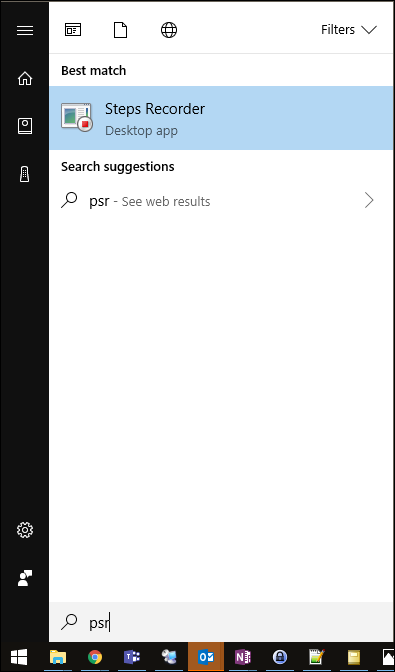
- Click Start
- Type in psr
- Click on Steps Recorder
- Click Start Record

- Follow through the steps to recreate the issue
Use Add Comment as needed to highlight specific sections/steps.
- When you are finished creating the error, use Stop Record to stop recording

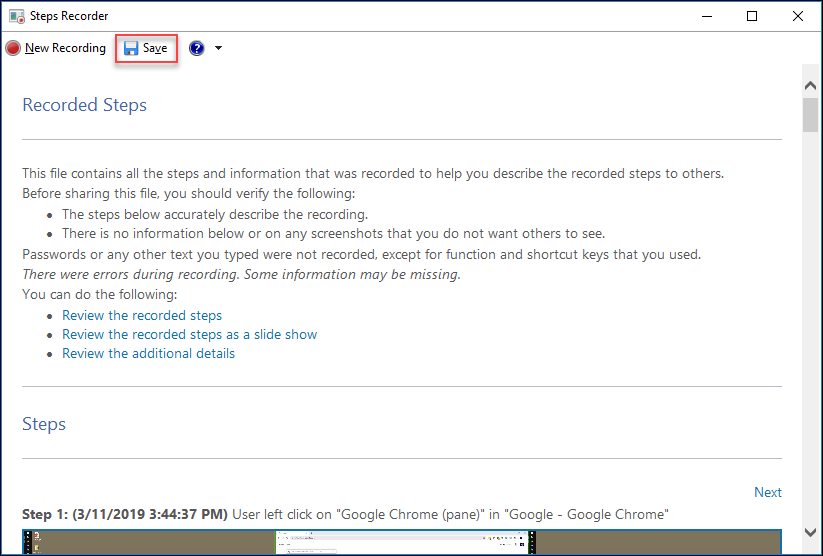
- Click Save to save the file as a .zip compressed archive that can be sent to IT Help for further review
- Send the .zip file that PSR generates to the support team for further analysis.
Comments
0 comments
Please sign in to leave a comment.