
Procedure
How to find your computer's PC Name
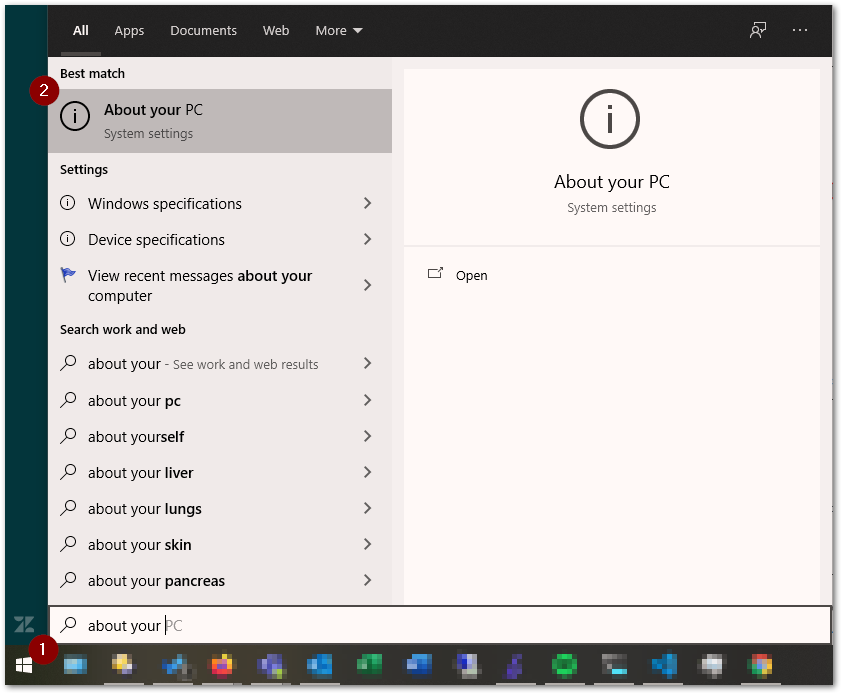
- Click the Windows button and type About your PC.
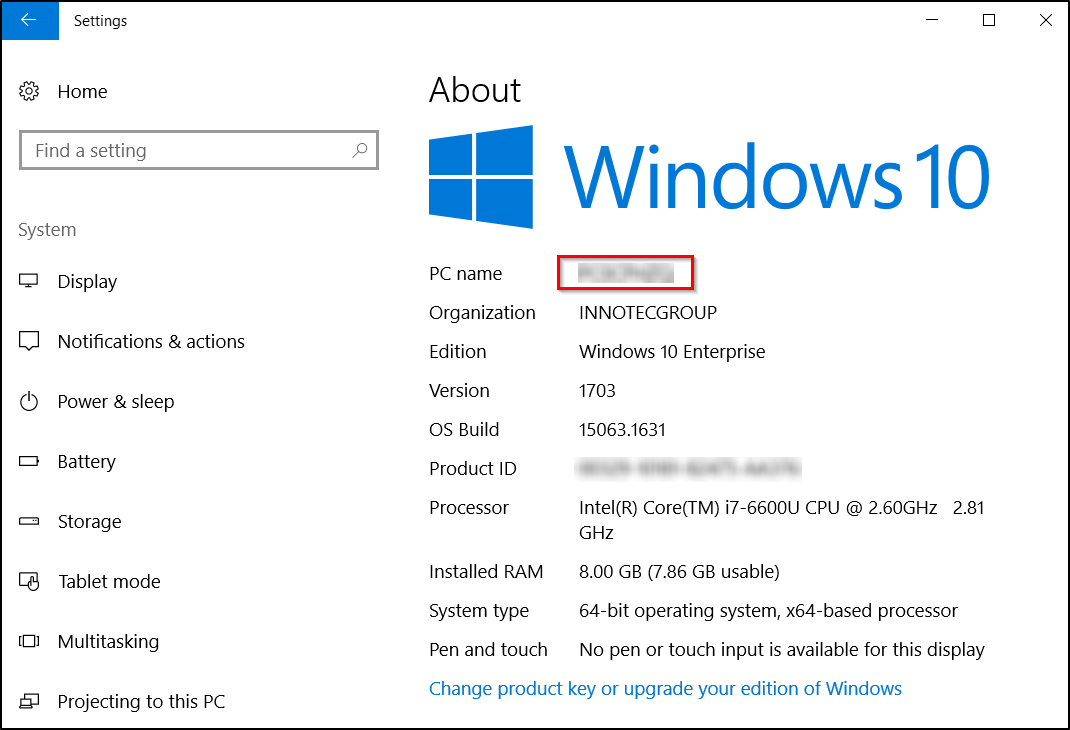
- Your PC name is listed at the top. This may also be called Device name.
How to find your computer's IP address
- Click the Window's button and click the gear icon (settings).
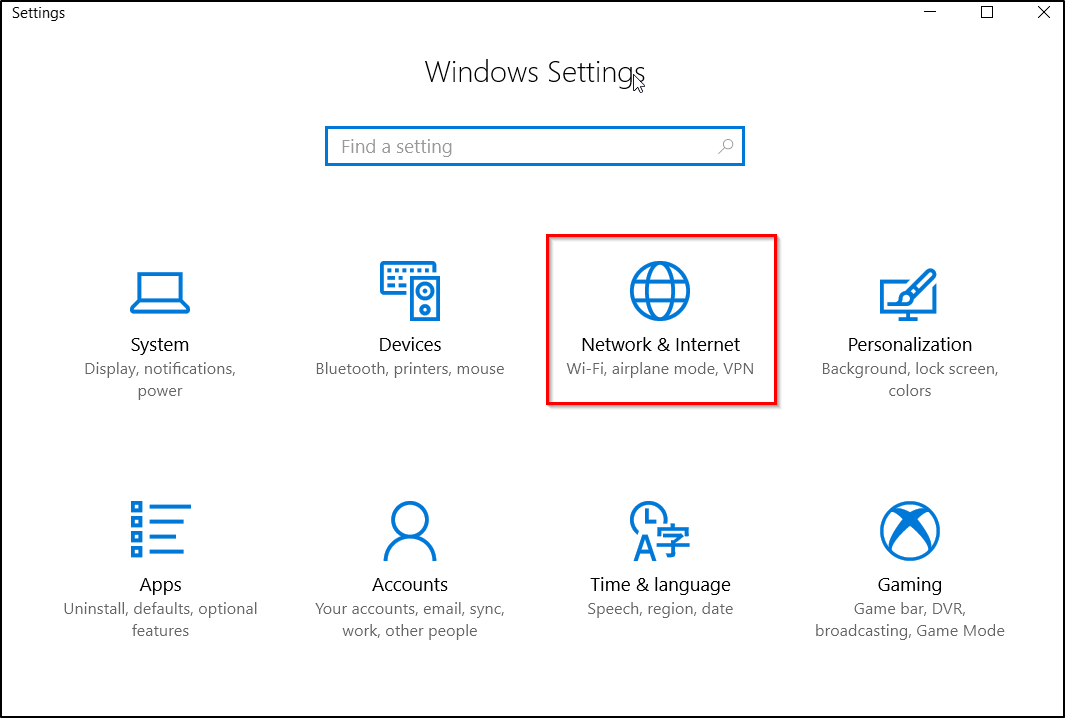
- Click Network & Internet
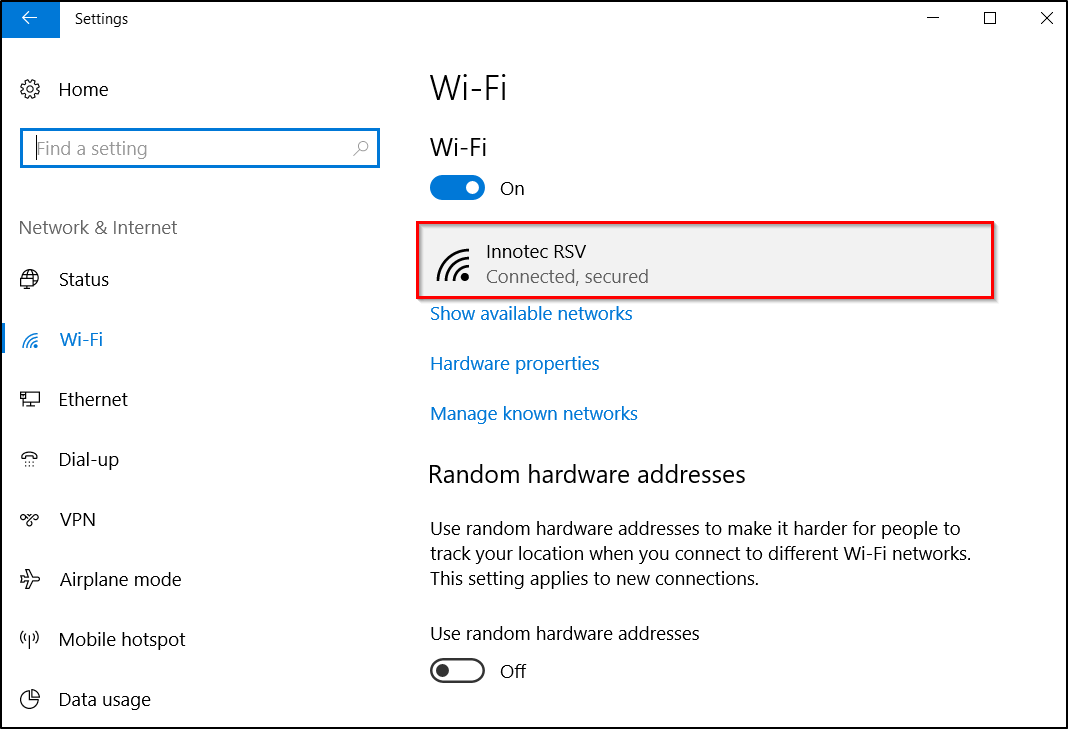
- If you are on a wireless network, click Wi-Fi. If you are on a wired network, click Ethernet.
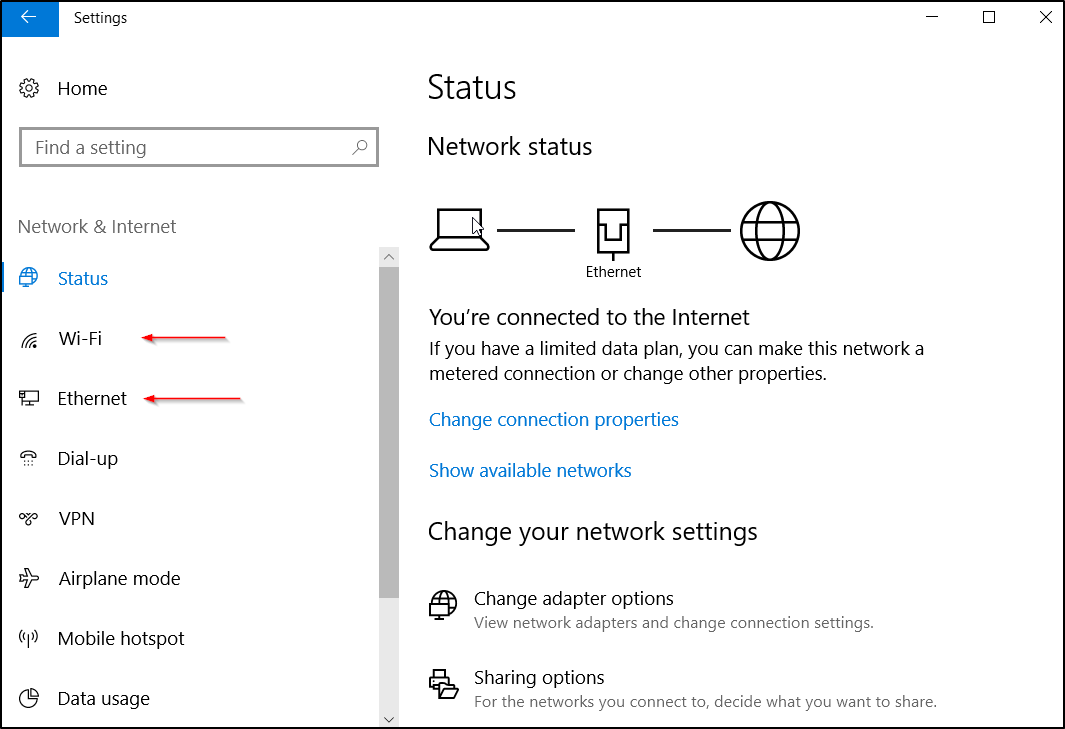
- Click on the name of the network you are connected to.
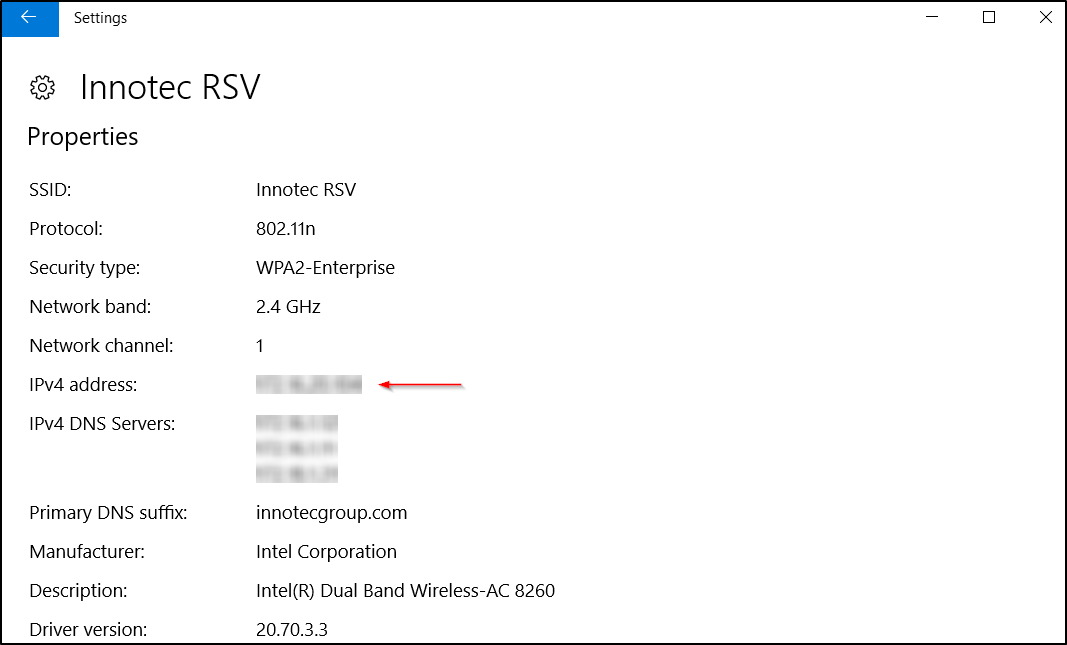
- Scroll down to Properties. Your IP address is listed next to IPv4 address:
Comments
0 comments
Please sign in to leave a comment.