
Introduction
This article explains the steps that are needed to take to install the OneTalk Mobile app to receive phone calls from your on-premise OneTalk solution to a mobile device.
Requirements
- OneTalk Main number
- OneTalk mobile app:
- One Talk app is supported on the following operating systems:
- iOS 10.3 and above
- Android™ 5.0 and above
- One Talk app is supported on the following operating systems:
Steps
- Have your OneTalk Main number and associated e-mail address ready.
- On your mobile phone, open up either the Apple App or Google Play Store; and search for "OneTalk"
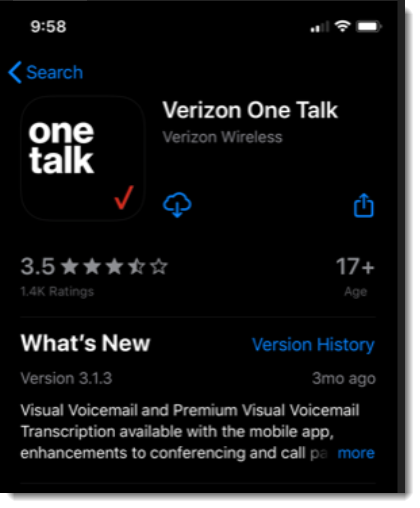
- Download the App
- Open the app and enter the OneTalk Main number identified in Step 1, and a unique identifier name for the device
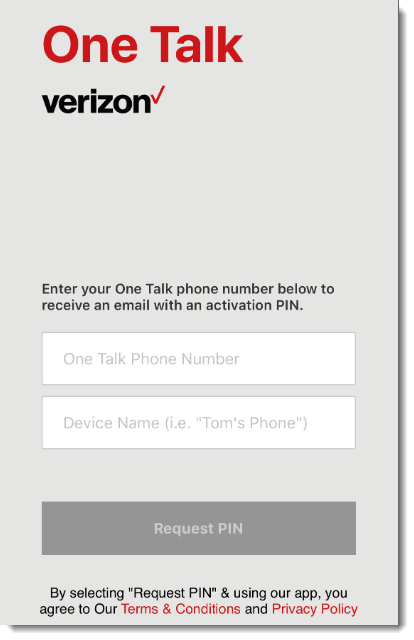
- A PIN will be sent to the main email contact for the Main OneTalk number
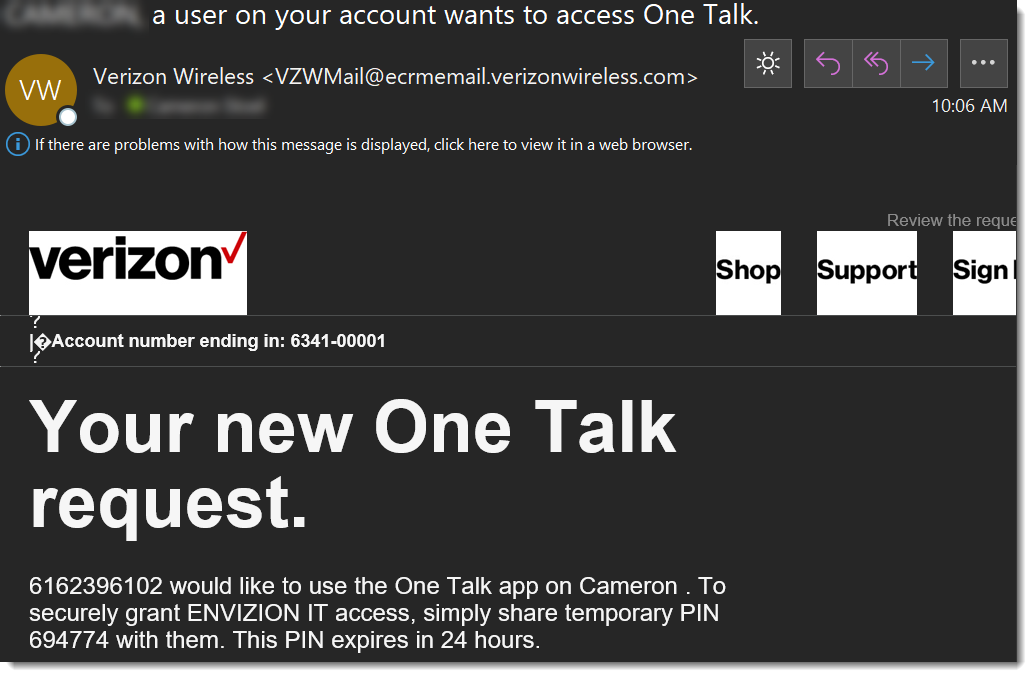
- Enter the PIN into the OneTalk App
- From the 'Setup your Device & Profile' screen enter the appropriate info and Click NEXT:
- Name
- Company (Optional)
- Position (Optional)
- 911 Address
NOTE: Profile info must be completed along with 911 address in the mobile app in order to complete the process.
Comments
0 comments
Please sign in to leave a comment.